
Sync Your Google and Outlook Calendars.
Automatic two-way sync between Google Calendar and Outlook. Merge multiple calendars and avoid double-bookings across personal and work accounts.
No credit card required
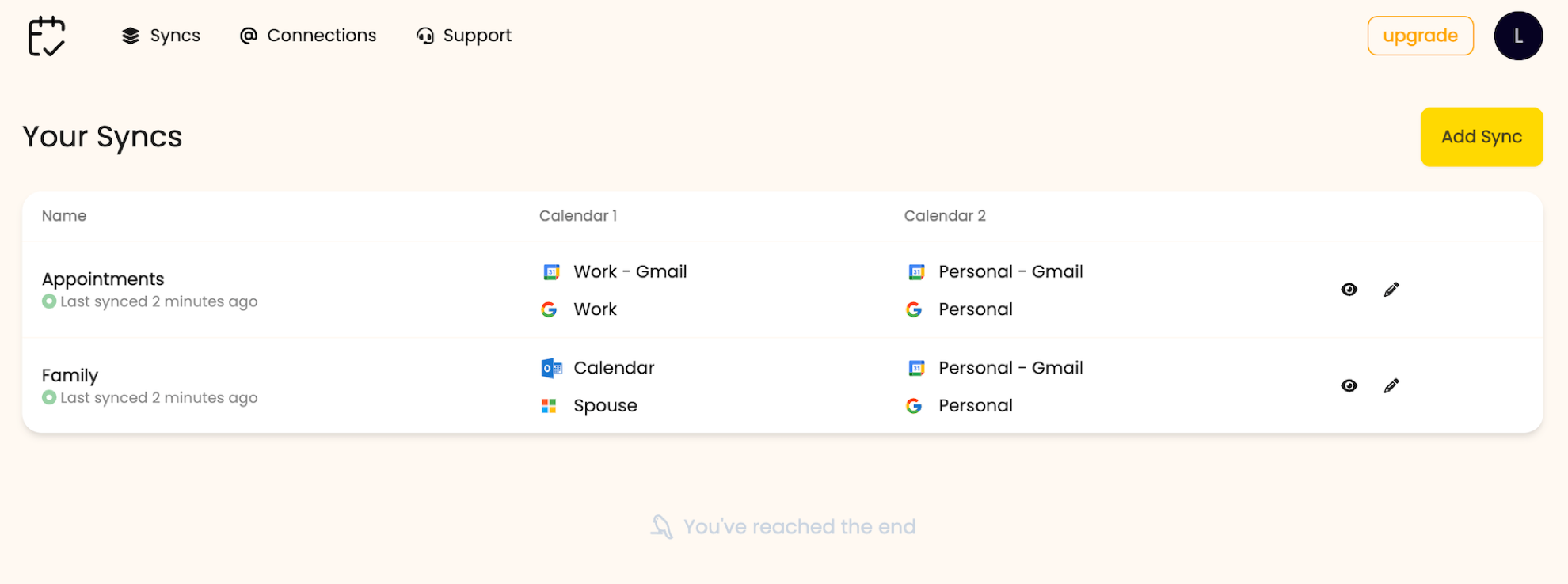
Everything you need to keep Google Calendar and Outlook in sync. No more missed meetings or double-bookings.
-
-
Merge Calendars Across Accounts
Sync events between any combination of Google Calendar and Outlook accounts — one to many, many to one, or one to one. Personal, work, and client calendars stay in step.
-
-
Event Filters & Conditions
Choose to synchronize only the events from select days of the week. Enjoy the flexibility to tailor your calendar syncing to your unique schedule and preferences.
-
-
Anonymize Event Information
Preserve your privacy by anonymizing event information when syncing to another calendar, or opt to keep the original details intact. The choice is yours.
-
-
Add Buffer Time
Automatically incorporate buffer time before or after each event. Add buffer time to select appointments or all events by default.
-
-
Conditional Event Sync
Personalize your sync by setting specific conditions and filters for the events. Only sync events that meet certain conditions, for example, specific time range or day of the week.
-
-
Two-Way Sync
Automatic two-way sync between Google Calendar and Outlook. Edit an event in either calendar and the change shows up in the other within minutes.
Use Cases
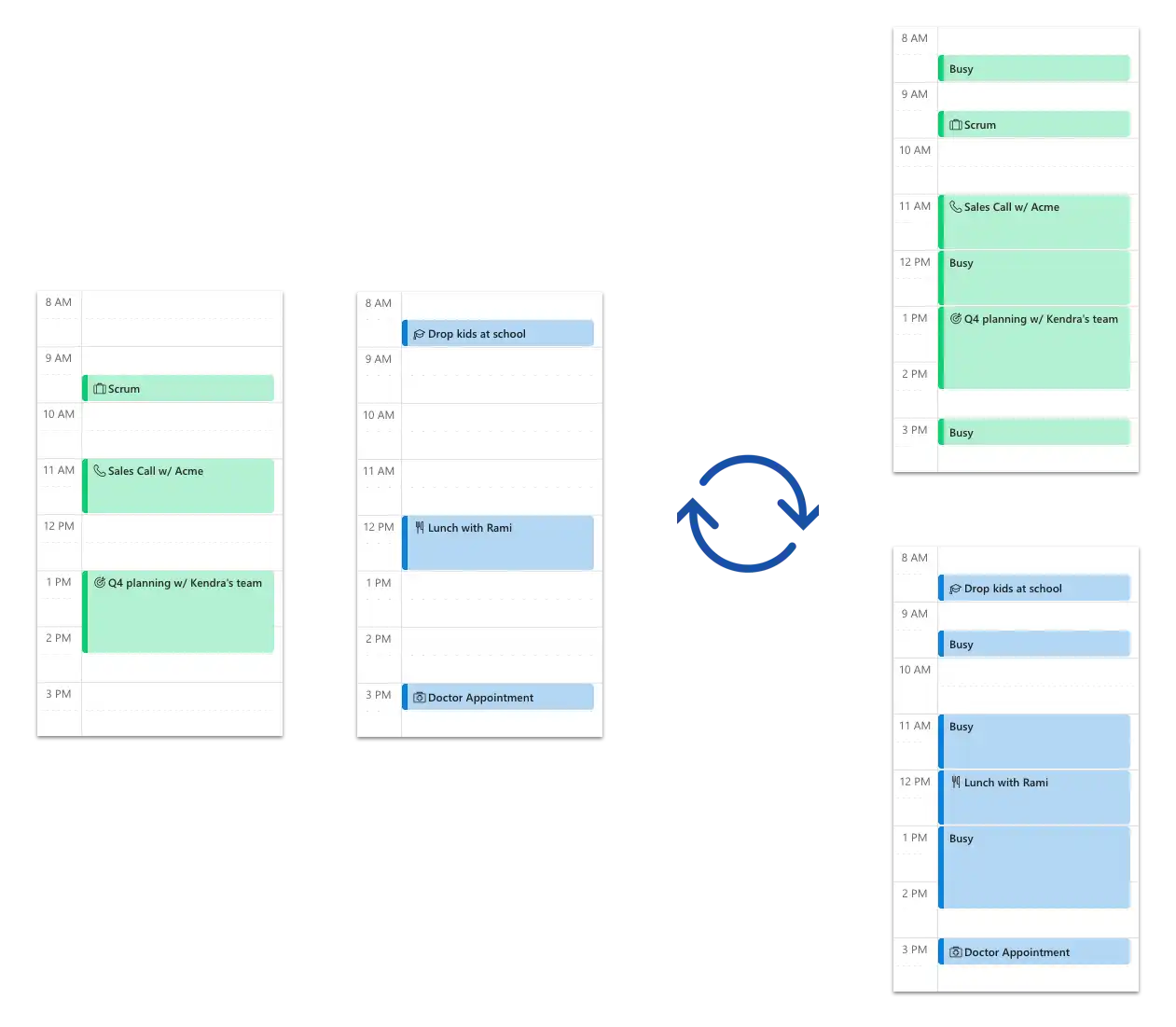
- Sync your personal and work calendars to avoid any personal appointments to be doubled booked at work.
- Sync multiple client calendars with your work calendar to avoid any conflicts.
- Copy your personal schedule to appointment calendars to block out time.
- Keep your partner's and your calendar in sync to have shared visibility.
Choose your perfect plan
All our plans comes with a free trial. No Credit Card / Commitment. Cancel at anytime.
Essentials
Ideal for Professionals with up to 2 Calendars.
$4 /month
Start Free Trial- 2 Calendar Connections
- All Features
- Standard Support
Pro
Ideal for Professionals with up to 10 Calendars.
$8 /month
Start Free Trial- 10 Calendar Connections
- All Features
- Priority Support
Custom
For more connections or custom requirements.
Custom
Contact Us- Custom Number of Calendar Connections
- All Features
- Priority Support
Frequently asked questions
-
Yes. Two-way sync is supported on every plan. Create or edit an event in either Google Calendar or Outlook and the change shows up in the other within minutes. You can also pick one-way if you only want events to flow in a single direction.
-
Yes. Connect multiple Google accounts (or multiple calendars within one account) and create a SyncPair from each source into a single destination. Events from all sources appear in the merged calendar with no duplicates.
-
Google's built-in import is a one-time copy — future changes don't sync. Google's subscription is read-only and refreshes every 8–24 hours. XCalSync runs on a schedule of minutes, supports two-way edits, and lets you filter which events copy and how their details appear in the destination.
-
XCalSync runs syncs every few minutes by default. New events, edits, and deletions are picked up on the next cycle. It is not literally instant, but it is far faster than the 8–24 hour delay of native ICS subscription URLs.
-
XCalSync syncs your Outlook account, not the client app. Once connected, every Outlook surface — Outlook on the web, Outlook desktop on Windows or Mac, the Outlook mobile app, and Apple Calendar via your Microsoft account — sees the synced events.
-
Yes — this is the most common use case. XCalSync connects via OAuth (Microsoft Graph and Google Calendar API) so it works across personal and work accounts as long as your IT team allows third-party calendar apps. Most do; some restrict OAuth apps and need admin approval first.
-
Yes. Set the destination calendar to replace event titles with a generic label like 'Busy' so colleagues see your availability without reading personal meeting details. Anonymization is configured per SyncPair.
-
Yes. XCalSync stores only the data needed to run the sync — event identifiers, modification timestamps, and your sync settings. Event content (titles, attendees, bodies) is read on demand and not retained after the sync completes. We do not sell or share your data.
-
No. There is no event count limit on any plan.
-
Yes. Cancel your subscription at any time and you'll keep access until the end of your current billing cycle. No further charges after cancellation.
-
Major credit cards (Visa, MasterCard, American Express), plus PayPal and Apple Pay.
-
Google Calendar (personal Gmail and Google Workspace), Microsoft 365, and Microsoft Outlook (outlook.com and Outlook desktop, both via your Microsoft account).
-
Email [email protected] — we usually reply within a day.
Does XCalSync do two-way sync between Google Calendar and Outlook?
Can XCalSync merge multiple Google calendars into one?
How is XCalSync different from Google Calendar's import or subscription?
Will events update in real time across calendars?
Does XCalSync work with Outlook on Mac, Windows, and mobile?
Can I sync my work calendar with my personal Google Calendar?
Can I anonymize event titles when syncing to a work calendar?
Is my calendar data private?
Is there a limit on how many events I can sync?
Can I cancel anytime?
What payment methods do you accept?
Which calendars can I sync?
I have more questions.
Start syncing calendars in minutes
Keep your Google and Outlook calendars in sync in real-time. Say goodbye to missed meetings and overlapping bookings.